The typical parking fine is not for parking illegally. It is for parking legally and then staying eleven minutes too long, because a two-hour limit that started at 14:07 is not something the human brain tracks in the background.
A parking timer solves this — but only if it warns you early enough to actually walk back.
Why mental timers fail
- You rarely park at a round number. "Two hours from 14:07" needs arithmetic you will not repeat later.
- The activity you parked for — a meeting, a meal, a queue — absorbs your attention completely.
- Free-parking discs and paid meters have different rules in the same street, so the deadline changes by ten metres.
- A phone alarm at the exact expiry time is already too late: you still have to walk back.
Set the timer properly
- 1Start the timer as you leave the car, not when you remember later — the clock starts at the meter, not at your memory.
- 2Enter the real expiry time from the ticket or sign, including any grace period the sign mentions.
- 3Build in a walk-back buffer: if you are ten minutes from the car, you want the warning at least fifteen minutes out.
- 4Keep the countdown visible — on the Lock Screen you see it every time you check the time, without opening anything.
- 5Log what the session cost so you can compare garages later.

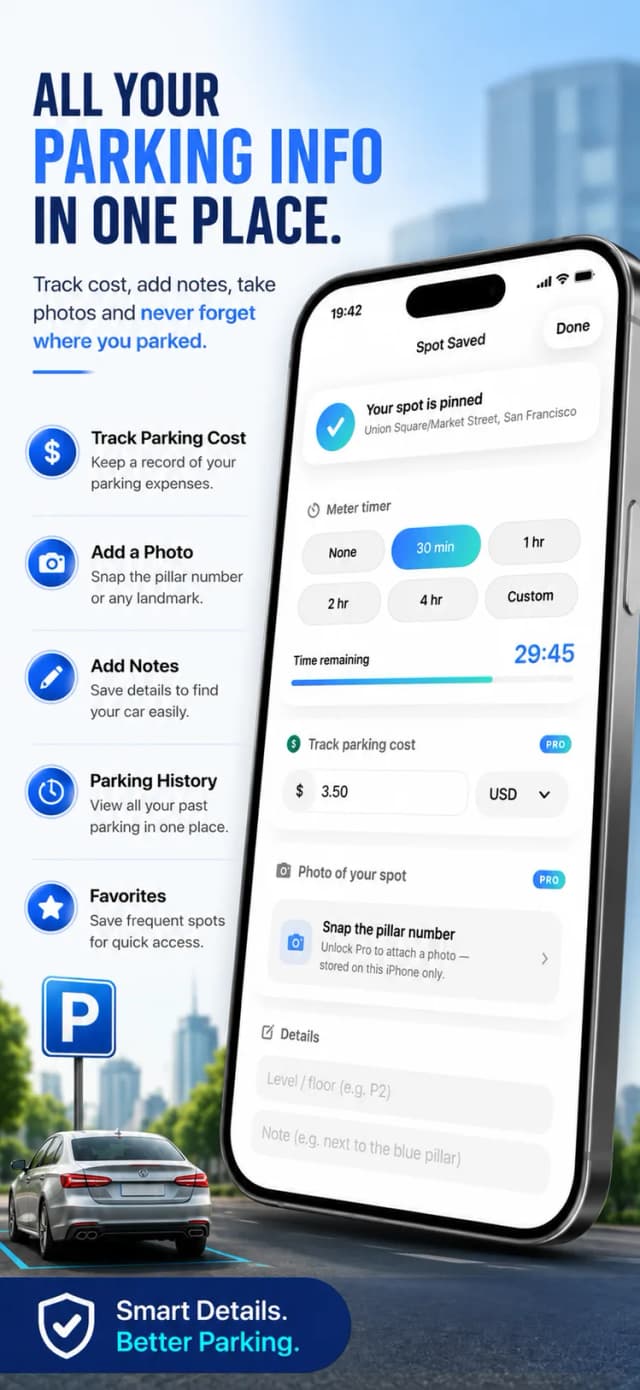
Using the ParkSpot parking timer
- 1
Start a session when you park
Save the spot and set how long you are allowed to stay — paid meter or free-parking zone.
- 2
Watch it on the Lock Screen
The Live Activity shows the remaining time on your Lock Screen and Dynamic Island, no app needed.
- 3
Get warned in time
ParkSpot reminds you before the time runs out, so the walk back fits inside the buffer.
- 4
Track the cost
Add what the session cost and it lands in your parking history for expenses.

Free to download on iPhone & iPad
Frequently asked questions
Does the timer work if the app is closed?
Yes — the countdown runs as an iPhone Live Activity on your Lock Screen and Dynamic Island, and the reminder fires as a notification.
Can I use it for free-parking discs?
Yes. Set the timer to the maximum stay allowed by the sign — the app does not care whether you paid or set a disc.